> For the complete documentation index, see [llms.txt](https://docs.securepass.me/llms.txt). Markdown versions of documentation pages are available by appending `.md` to page URLs; this page is available as [Markdown](https://docs.securepass.me/documentation/securepass-authenticator-app-mobile/push-notification.md).
# Push Notification
Push is the quickest of the sign-in methods: instead of reading a code and typing it, you approve a prompt on your phone with one tap.
It is also the most informative. The prompt tells you which application asked, from which machine and which IP address — so you can see whether the sign-in is yours before you allow it.
Register it once in the app, then use it whenever you sign in.
## Register push notifications
{% stepper %}
{% step %}
### Open Auth Modes
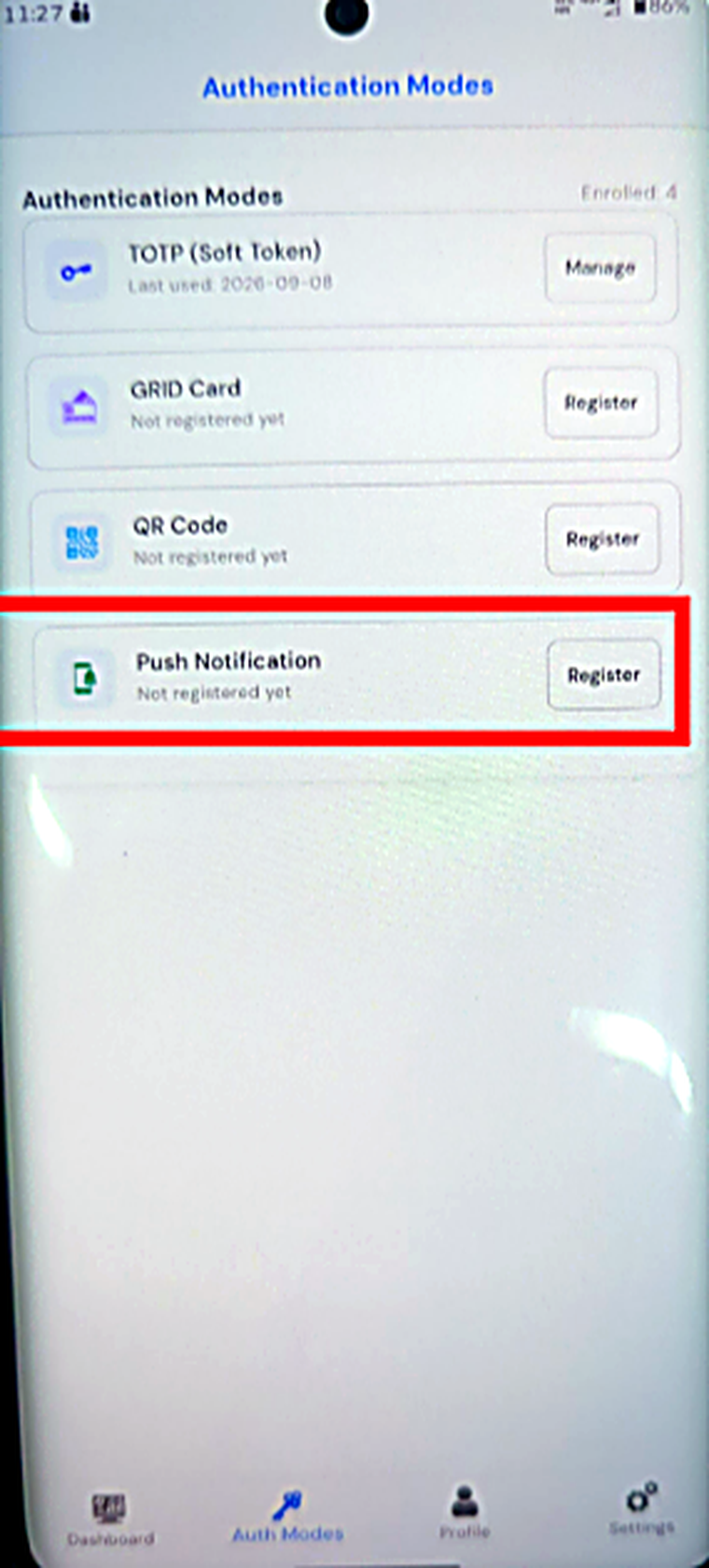
Open the app and go to **Auth Modes**. The list shows every method, whether you have registered it, and when you last used it.
{% endstep %}
{% step %}
### Register Push Notification
Find **Push Notification** and select **Register**.
 {% endstep %}
{% step %}
### Confirm registration
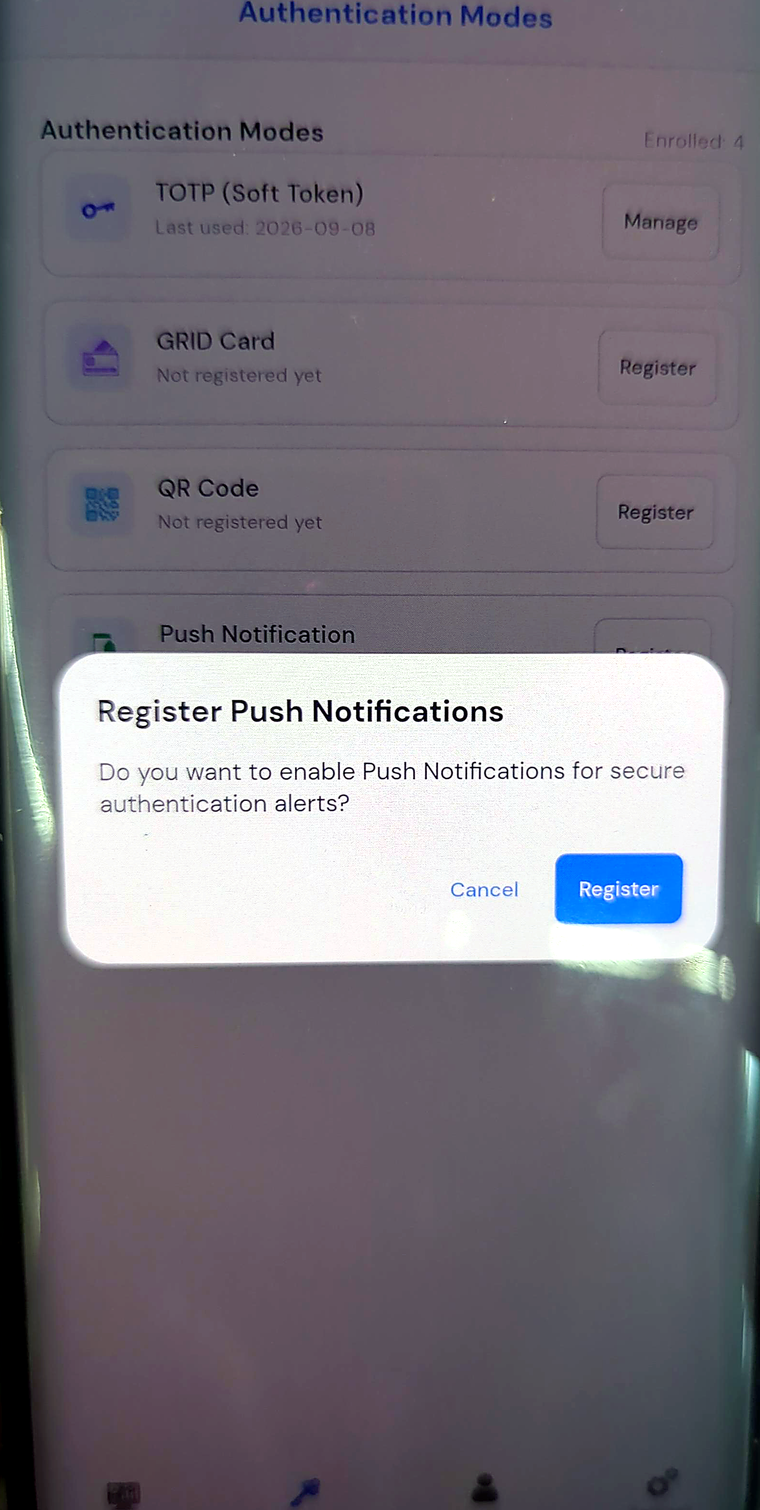
Confirm when the app asks whether to enable push notifications for secure authentication alerts.
{% endstep %}
{% step %}
### Confirm registration
Confirm when the app asks whether to enable push notifications for secure authentication alerts.
 {% endstep %}
{% step %}
### Allow notifications
Allow notifications if your phone prompts you separately. Push cannot reach you if notifications are switched off for the app at the operating-system level.
{% endstep %}
{% step %}
### Verify activation
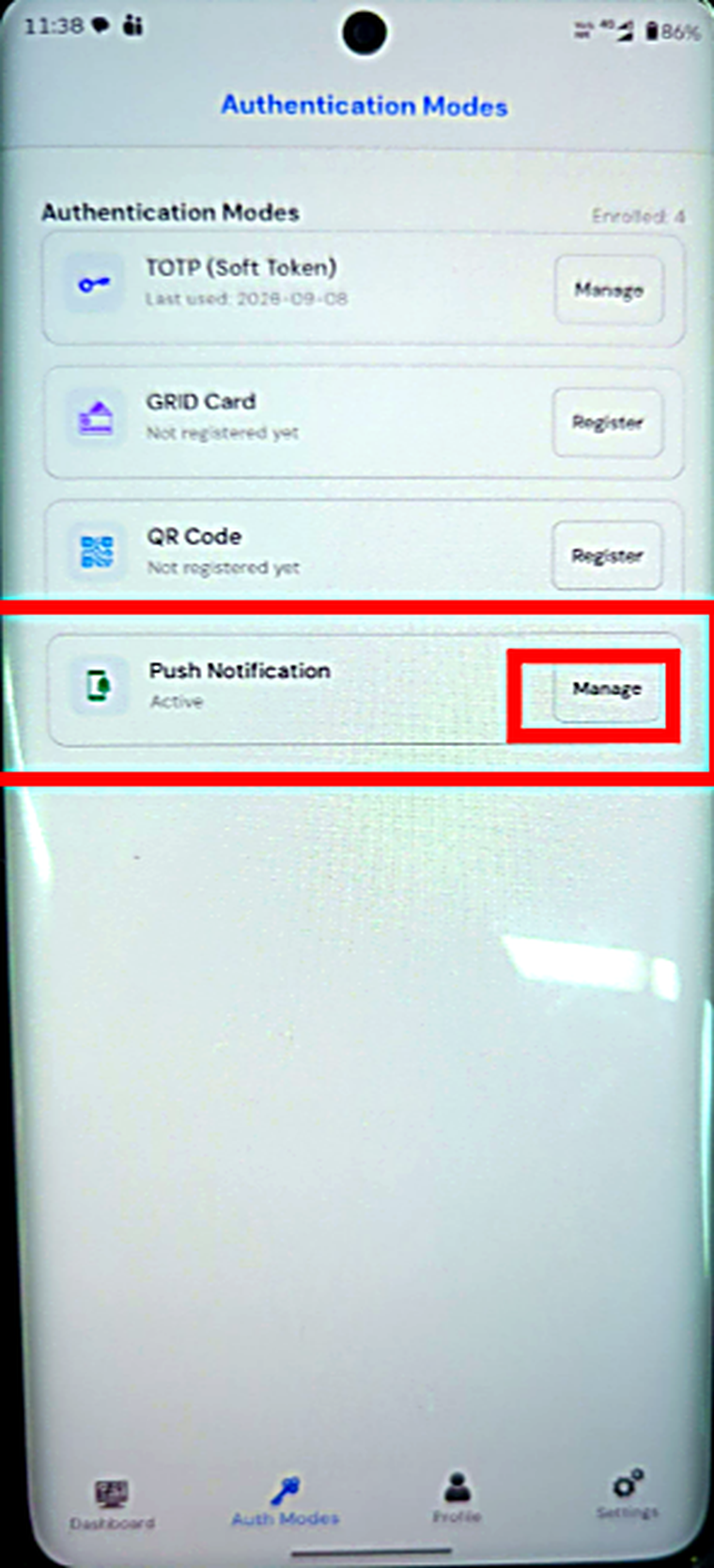
The row now reads **Active**, and its button changes to **Manage** — which is where you would come back to turn it off later.
{% endstep %}
{% step %}
### Allow notifications
Allow notifications if your phone prompts you separately. Push cannot reach you if notifications are switched off for the app at the operating-system level.
{% endstep %}
{% step %}
### Verify activation
The row now reads **Active**, and its button changes to **Manage** — which is where you would come back to turn it off later.
 {% endstep %}
{% endstepper %}
## Signing in with push
{% stepper %}
{% step %}
### Open more login options
Start signing in to SECUREpass as usual. When you reach the second-factor screen, select **More Login Options**.

{% endstep %}
{% step %}
### Choose Push Notification
Choose **Push Notification** from the list.

{% endstep %}
{% step %}
### Wait for the request
The browser waits while the request goes to your phone. It shows a countdown and the three steps to follow — open the notification, tap Approve, and wait for the page to redirect.

{% endstep %}
{% endstepper %}
## Approving on your phone
The notification arrives. Open it and the app shows the request.
{% endstep %}
{% endstepper %}
## Signing in with push
{% stepper %}
{% step %}
### Open more login options
Start signing in to SECUREpass as usual. When you reach the second-factor screen, select **More Login Options**.

{% endstep %}
{% step %}
### Choose Push Notification
Choose **Push Notification** from the list.

{% endstep %}
{% step %}
### Wait for the request
The browser waits while the request goes to your phone. It shows a countdown and the three steps to follow — open the notification, tap Approve, and wait for the page to redirect.

{% endstep %}
{% endstepper %}
## Approving on your phone
The notification arrives. Open it and the app shows the request.
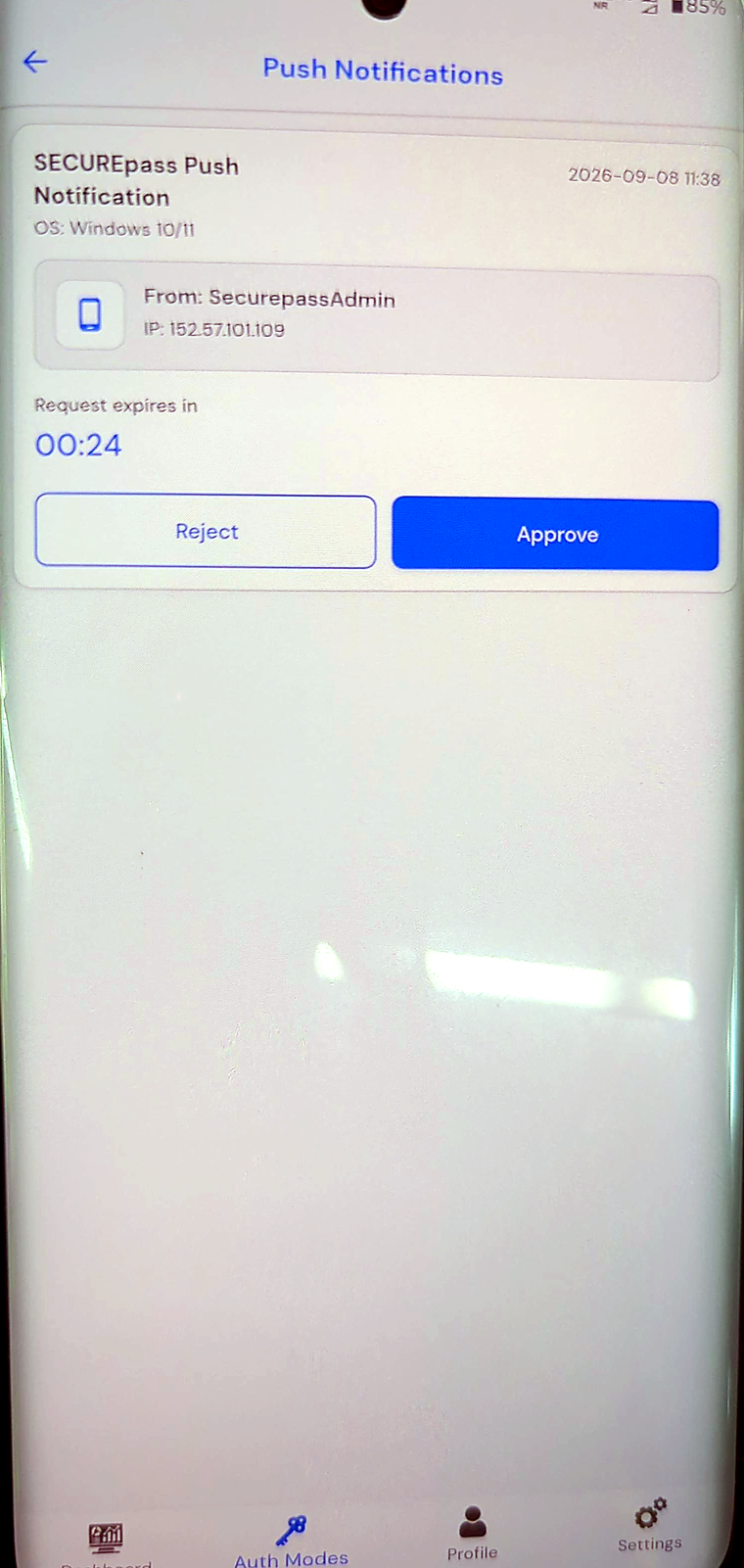 | What it shows | Why it matters |
| ------------------ | ---------------------------------------------- |
| Application | Which application the sign-in is for |
| OS | The operating system of the machine that asked |
| From | The account making the request |
| IP address | Where the request came from |
| Request expires in | The countdown before it lapses |
Read those before you tap. They are what turn push from a convenience into a check.
Select **Approve** and the browser completes the sign-in and lands you on your dashboard.

{% hint style="warning" %}
**Important**
Approve only a sign-in you just started. A prompt arriving when you are not signing in means someone else has your password and is trying to get past your second factor. Select **Reject**, then change your password and tell your IT team.
{% endhint %}
| What it shows | Why it matters |
| ------------------ | ---------------------------------------------- |
| Application | Which application the sign-in is for |
| OS | The operating system of the machine that asked |
| From | The account making the request |
| IP address | Where the request came from |
| Request expires in | The countdown before it lapses |
Read those before you tap. They are what turn push from a convenience into a check.
Select **Approve** and the browser completes the sign-in and lands you on your dashboard.

{% hint style="warning" %}
**Important**
Approve only a sign-in you just started. A prompt arriving when you are not signing in means someone else has your password and is trying to get past your second factor. Select **Reject**, then change your password and tell your IT team.
{% endhint %}